Cliffwood Beach - Aberdeen
- Aeromarine Industrial Park ( 40.44306, -74.18967 )
- Lake Lefferts - Matawan ( 40.41563, -74.23362 )
- Raritan Bay - Cliffwood (E) ( 40.45089, -74.22033 )
- Raritan Bay - Cliffwood (W) ( 40.45216, -74.22269 )
- Raritan Bay - Cliffwood (Whale Creek) ( 40.45090, -74.22274 )
- Raritan Bay - Keyport (E) ( 40.44095, -74.19534 )
- Raritan Bay - Keyport (W) ( 40.43921, -74.20160 )
- Raritan Bay - Laurence Harbor (E) ( 40.45877, -74.24622 )
- Raritan Bay - Laurence Harbor (W) ( 40.46223, -74.25482 )
- Raritan Bay - South Amboy (N) ( 40.48343, -74.27059 )
- Raritan Bay - South Amboy (S) ( 40.47946, -74.26831 )
- Raritan Bay - South Amboy Ramp ( 40.48401, -74.27416 )
- Raritan Bay - Union Beach (E) ( 40.44787, -74.16598 )
- Raritan Bay - Union Beach (W) ( 40.45479, -74.17517 )
- Superfund Site ( 40.45776, -74.24129 )
- Wagner's Marina - Matawan Creek ( 40.43540, -74.21416 )
The marker in the lower-center of the map is a super-easy put-in on Whale Creek, above. The other markers are a longer slog over the beach. All have convenient free parking (don't leave your vehicle in the launching area, that's a dick move!)
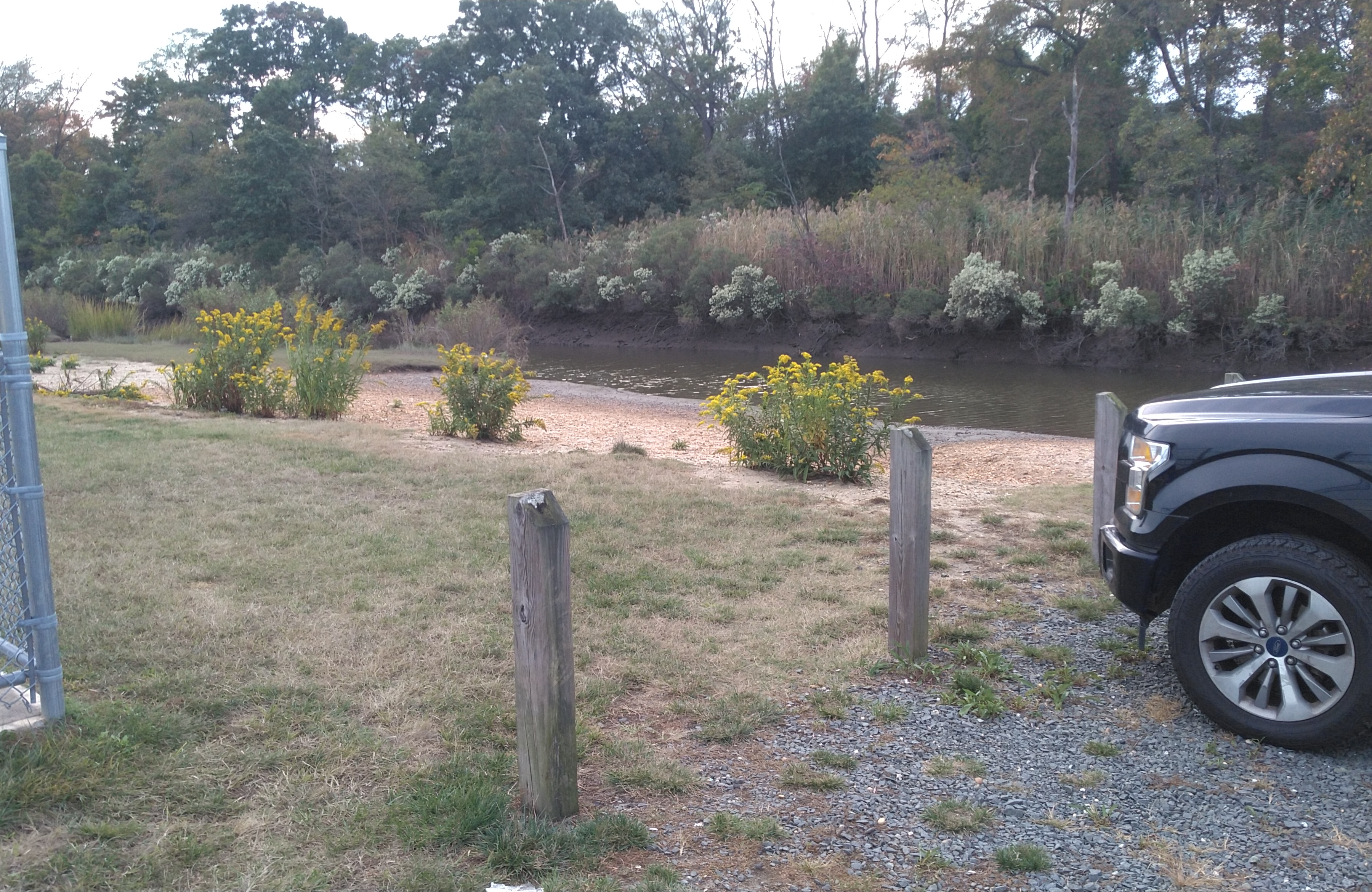
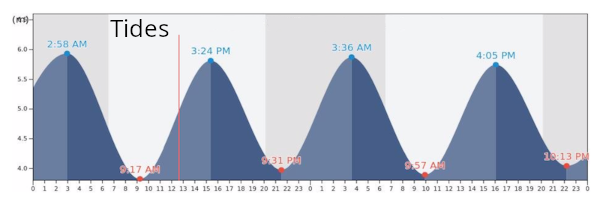
The creek is strongly tidal. At high water, you have a nice wide channel and can go almost to the highway. At low tide, not so much. The current can really rip under the bridge, bring your paddling muscles. In a strong current situation, it is best to go up-current on the outbound leg, and get a free ride back on the homeward leg.
If the bay is choppy, you can go up the creek, hopefully the wind will keep the flies down. If it is calm, go out the creek and explore the bay. If conditions here are just no good, pull back on the map, I have marked some alternates that are only minutes away.
Questions or Inquiries?
Just want to say Hello? Sign the .